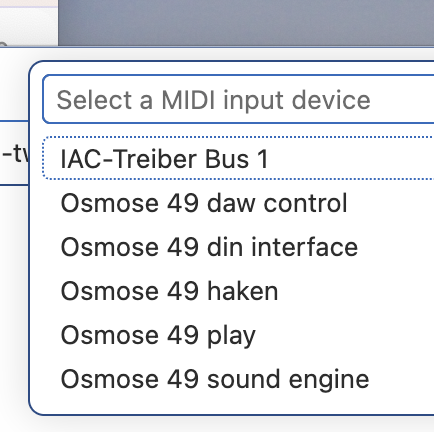
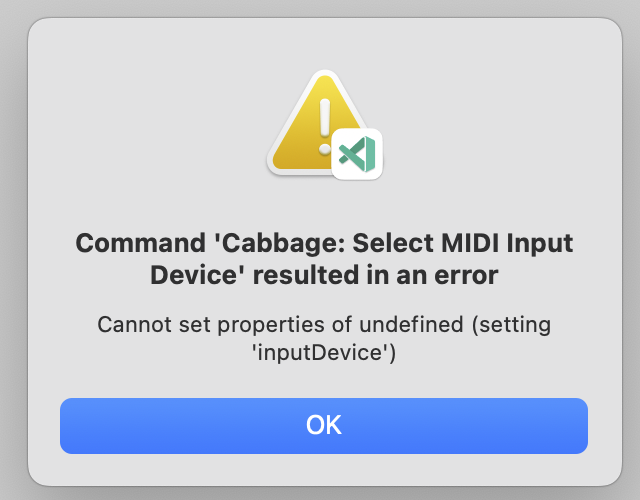
I am working my way through the Cabbage 3 videos, which are, by the way, really helpful. At some point I wanted to start using my keyboard instead of the virtual one. When I use the ‘select MIDI input’ command I get, as expected:
where “Osmose 49 play” is the right one according to the Osmose v. 2.3 manual. The Osmose itself I set to ‘classic keyboard’ mode, so that it does not produce the MPE and aftertouch extra MIDI.
What’s the difference between the Play and din interface modes?
I guess one is USB and the other DIN MIDI? If so, which interface are you using to connect to your computer – that’s the one that should probably be selected.
After the most recent firmware update, the Osmose shows five MIDI outputs. But according to the manual is the right one, and this port works controlling synths like Phase Plant via REAPER. I never used the DIN interface but always USB.
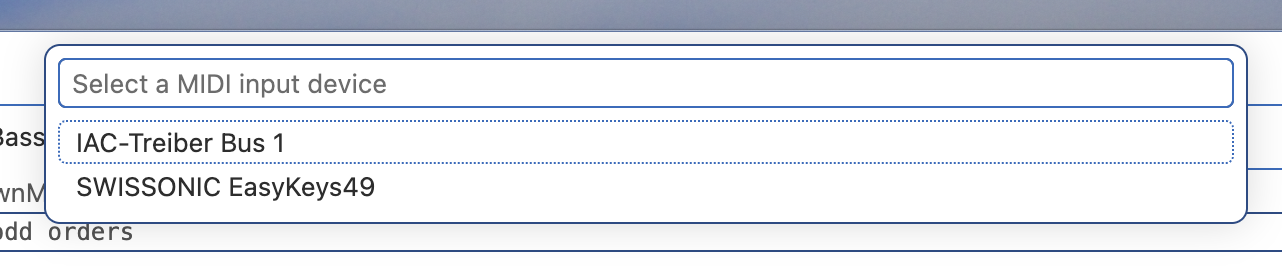
But exmachina’s post made me check with another keyboard, a Thomann swissonic 49 which only has a single MIDI port:
This shows that the MIDI devices/ports are identified correctly. But when I select “SWISSONIC…49” I get exactly the same error as with the Osmose. So it seems not to be due to some hardware incompatibility.
Can it be that the IAC driver confuses it? That is something I had to install using the Mac OS Audio-MIDI-Setup to get the DJ software Mixxx running with a specific controller. I am reluctant to deinstall it because that may break the Mixxx-controller connection.
BTW, the output from cabbage is:
   _____      _     _
  / ____|    | |   | |
 | |     __ _| |__ | |__   __ _  __ _  ___
 | |    / _` | '_ \| '_ \ / _` |/ _` |/ _ \
 | |___| (_| | |_) | |_) | (_| | (_| |  __/
  \_____\__,_|_.__/|_.__/ \__,_|\__, |\___|
                                 __/ |
                                |___/
────────────────────────────────────────────────────────────
 Cabbage server started successfully.
 • To run an instrument: open a .csd file and hit Save.
 • To stop the server: click the Cabbage icon in the status bar.
 • All Cabbage extension commands can be accessed through the Command
   Palette (Ctrl+Shift+P / Cmd+Shift+P).
────────────────────────────────────────────────────────────

Cabbage settings file: /Users/zorn/Library/Application Support/Cabbage/settings.json
Cabbage jsSourceDir: ["/Users/zorn/.vscode-insiders/extensions/cabbageaudio.vscabbage-1.0.208-alpha/src"]
Cabbage widget sources: /Users/zorn/.vscode-insiders/extensions/cabbageaudio.vscabbage-1.0.208-alpha/src/cabbage/widgets
Error parsing JSON: [json.exception.type_error.306] cannot use value() with null

Received signal 15. Cleaning up...
=== CABBAGE PROCESS EXIT ===
Exit code: null
Signal: SIGKILL
Process ID: 10233
Command: /Users/zorn/.vscode-insiders/extensions/cabbageaudio.vscabbage-1.0.208-alpha/src/CabbageBinaries/CabbageApp
Signal details:
  - SIGKILL (9): Process was forcefully killed
=== END EXIT ===
Can you download and install the latest Csound beta? And then download and install the latest vscabbage extension. On first run it should repopulate your audio and MIDI drivers. Hopefully this will resolve the problem.
Can you open your ~/Library/Application Support/Cabbage/settings.json file and see what it chooses when you select your MIDI device? Perhaps it’s not registering it correctly?
I deleted the file settings.json and restarted. After that I could select the keyboard, and now the file looks like attached. (In my last e-mail I forgot to attach the file. So I send the not working file from before as settings.json.bak here.)
OK, it works now. Did not yet try with the Osmose and I know what to do when it happens again. But I still feel a bit uncomfortable because I don’t know why it did not work the first try.
It might have been an old settings file. I made some changes recently to better handle cases like these. The fact that it worked with the new version seems to indicate it’s working